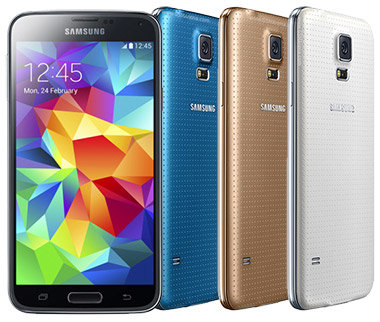




Samsung Galaxy S5 battery tipsSamsung released its flagship smartphone, the Galaxy S5, in April 2014. This great phone comes with a 5.1in screen, a 2.5GHz quad-core Snapdragon 801 processor, 2GB of RAM, 16/32GB of storage and a 2,800mAh battery. The battery is 200mAh larger than the one found in the Galaxy S4, but the S5 is also brighter than its predecessor and its processor requires more power. Thankfully, Samsung brought a new Ultra Power Saving mode to the table, which disables most functions, shows a simplified black and white homescreen, etc. and thus prolongs your phone's battery life. Nevertheless, it's always good to know some extra tips that can help you make the battery last even longer and today we'll mention a couple of them. Adjust Your Screen SettingsLess Colour is BetterThe Galaxy S5 comes with a Super AMOLED display, which can eat up your smartphone's energy pretty quickly. The trick here is to use a black or at least a darker background. So, find a nice, dark theme for your S5 instead of a colourful, vibrant one and you'll notice the difference in how long your battery lasts. A darker wallpaper/theme can even look cooler than the one with a lot of different colours in it.
Reduce BrightnessWe all love the brightness that the S5 brings, but that exact luminosity can be the biggest drain on your phone's battery. In order to extend the battery life, you'll need to reduce the brightness of your S5's screen – limit it to a lower setting and avoid auto-brightness at all costs. You should also try to avoid live wallpapers and try to keep your screen timeout settings to as short a time as possible. Use the Power Saving ModeIf it's there, why not use it? The Ultra Power Saving mode can really come in handy, but the regular power saving mode can be useful on a daily basis, too. You can limit the background data, make the notifications disappear immediately from your screen after receiving them, limit frame rates etc. If you're really desperate, you can even enable the greyscale option for your S5. Disable Smart GesturesOur advice is – if you've never used them before, you can live without them. Sure, it can be fun to take screenshots with a palm swipe, but it's not necessary. If you turn off all of these smart gestures, your battery is bound to last longer. You can always turn them back on for a while, if you feel like experimenting with some of the new features and gestures. In case you're not keen on any of the options we mentioned above, there are a number of apps out there that you can use to prolong your battery's life by tweaking the colour, light and other settings on your Galaxy S5. |